
Microsoft Teams has become an important source of evidence in workplace investigations, litigation, regulatory inquiries and internal disputes.
Messages sent through Teams may record decisions, instructions, approvals, complaints and informal discussions that do not appear in email. Private channels are particularly significant because they are often used for sensitive projects, management discussions, investigations and restricted communications.
As 2025 closes, Microsoft is changing where compliance copies of private channel messages are stored. The change may affect legal holds, retention policies, data loss prevention controls and eDiscovery searches.
Organisations using Microsoft 365 should confirm that their existing evidence preservation and collection processes have been updated before relying on them in 2026.
What Is Changing?
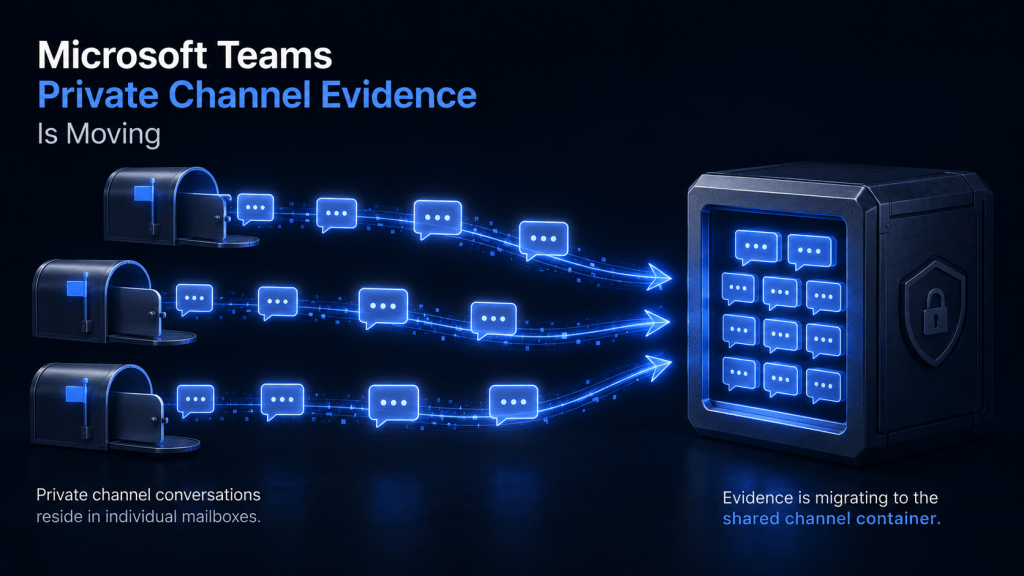
Historically, compliance copies of messages sent in a Teams private channel were stored within the Exchange Online mailboxes of the individual channel members.
This meant that an eDiscovery search or legal hold commonly needed to include the user mailboxes of the people who belonged to the private channel.
Microsoft began migrating private channels to a group-based compliance model in October 2025. Under the new model, compliance copies of new private channel messages are stored in the Microsoft 365 group mailbox associated with the parent team.
The migration was initially expected to finish during December 2025. Microsoft subsequently extended the expected completion date to late January 2026, meaning different Microsoft 365 tenants may be at different stages of the migration as the year ends.
Why This Matters for Evidence Collection
The change does not necessarily mean that all relevant private channel evidence will be found in one new location.
Microsoft advises that complete eDiscovery searches may need to include both:
- the user mailboxes of private channel members; and
- the Microsoft 365 group mailbox associated with the parent team.
The user mailboxes may contain pre-migration messages and historical message information. The group mailbox may contain the latest versions of migrated messages and new private channel content created after the migration.
Where a user was already subject to a legal hold, earlier versions of edited messages and copies of deleted messages may remain preserved within that user’s mailbox. Those historical versions are not necessarily copied into the group mailbox during migration.
Searching only the group mailbox could therefore miss important historical evidence. Searching only individual users could miss newer private channel messages.
Existing Legal Holds May Need to Be Reviewed
A legal hold previously applied to an individual user’s mailbox may have captured private channel messages because those compliance copies were stored against the user.
After migration, new private channel messages are governed through the group mailbox. An existing user-level hold will not automatically preserve all new private channel content stored at the group level.
For active litigation, investigations or regulatory matters, organisations should check whether the relevant parent team’s Microsoft 365 group mailbox has also been included in the hold.
This review should not be limited to formal litigation. It may also be relevant to anticipated disputes, employment investigations, privacy inquiries, fraud matters and other situations in which information may need to be preserved.
Retention and DLP Policies Also Change
The migration affects more than eDiscovery.
Retention and data loss prevention policies previously targeted at private channel messages through individual user locations may need to be applied to the parent team’s Microsoft 365 group.
Microsoft’s new model allows private channel messages to inherit applicable channel-message retention settings from the parent team. This may simplify administration, but it also requires careful review.
A policy applied to the parent team may affect standard and private channels within that team. Organisations that require different retention settings for particularly sensitive private channels may need to reconsider how their policies are structured.
Private Channel Files Remain Separate
The message migration should not be confused with the storage of files shared through private channels.
Files uploaded to a Teams private channel are generally stored within a dedicated SharePoint site associated with that channel. This site is separate from the parent team’s main SharePoint site.
A complete collection may therefore require several different sources:
- user mailboxes for historical private channel messages;
- the parent team’s group mailbox for migrated and newer messages; and
- the private channel’s dedicated SharePoint site for documents and attachments.
Meeting recordings, transcripts, Loop components and files shared through direct chats may also be stored in OneDrive or other Microsoft 365 locations.
Collecting Teams evidence requires an understanding of the type of communication involved, not simply the name of the user or team.
What Organisations Should Do
Organisations using Teams private channels should consider the following steps:
- Confirm the migration status of the Microsoft 365 tenant. Microsoft provides the
Get-TenantPrivateChannelMigrationStatusPowerShell command for checking whether the migration has started or completed. - Identify teams containing private channels. Record the channel owners, members, parent team and associated SharePoint sites.
- Review active legal holds. Confirm whether both relevant user mailboxes and Microsoft 365 group mailboxes are included.
- Update eDiscovery procedures. Search both pre-migration and post-migration locations where the relevant date range crosses the migration period.
- Review retention and DLP policies. Confirm that group-level policies provide the intended coverage without unintentionally changing the treatment of other channels.
- Document the collection method. Record the tenant’s migration status, locations searched, users included, date ranges, search conditions and export process.
The Takeaway
The Teams private channel migration is a backend technical change, but it has direct consequences for evidence preservation and collection.
During the transition period, there is no single mailbox location that can be assumed to contain every relevant private channel message. Legal and investigation teams may need to search both individual user mailboxes and the parent team’s group mailbox, while separately collecting files from the private channel’s SharePoint site.
The beginning of a new year is a useful point to review Microsoft 365 legal holds, retention policies and Teams collection procedures. Finding a gap after messages have been deleted is considerably more difficult than correcting the policy while the information still exists.
How Forensic Tech Can Help
Forensic Tech assists legal teams and organisations with the identification, preservation and collection of Microsoft 365 evidence.
This includes Microsoft Purview eDiscovery searches, Teams and Exchange Online collections, SharePoint and OneDrive preservation, legal-hold validation, evidence scoping and the preparation of defensible exports for litigation, workplace investigations and regulatory matters.
Preserving Microsoft Teams or Microsoft 365 evidence? Contact us or call 0800 WITNESS (0800 948 637).
Related services: Forensic Collection · Cloud Hosted Review · Forensic Technology
Sources
Microsoft Learn, Private Channels in Microsoft Teams
Microsoft Learn, Finding Content in Microsoft Teams in eDiscovery

